Choosing a home router can be difficult, with dozens of models and lots of technical terms. Because of this many people end up buying a router that’s either underpowered or far more complex than they need.
In this article, we explain how to choose a good router for home use, looking at what actually matters such as different features affecting performance and how to pick the right router for your devices and internet connection.
What does a home router do?
A router connects your home network to the internet and manages how data moves between devices. It handles WiFi, wired connections, security and traffic management.
A good router does three things well:
- Distributes WiFi evenly
- Handles multiple devices at once
- Maintains stable speeds under load
If any of these fall short, you’ll notice slow speeds, drop-outs or poor coverage in certain rooms of your home.
How to choose a router for home use
The right router for your home depends on how your home is used, not just going after the model with the best advertised speeds. Before choosing a router, be sure to consider:
- Property size and layout
- Number of connected devices (e.g. phones, smart TVs, laptops/desktops, tablets and more)
- Internet connection speed
- Typical usage such as streaming, gaming, remote working etc.
A small flat with light usage needs something very different from a large family home with smart devices in every room.
How to choose a good router based on internet speed
Your router should comfortable exceed your broadband speed. If your internet service is 150MB/s, a router rated for 1GB/s provides plenty of headroom.
Problems occur when the router becomes the bottleneck. Older or entry-level routers often struggle with faster fibre connections, even though the broadband itself is capable.
A simple rule here helps – Your router should be faster than your internet connection, not equal to it.
Why coverage matters more than speed
Router packaging often focuses on maximum speeds, but coverage is usually the bigger issue in homes. Walls, floors and layout affect WiFi far more than raw bandwidth figures.
For larger or multi-storey homes, a single powerful router may still struggle. In these cases, mesh systems or additional access points provide far more reliable coverage than upgrading to a single high-spec router.
Good coverage delivers better real-world performance than high headline speeds.
How to choose 2.4GHz or 5GHz on a router
Most modern home routers broadcast both 2.4GHz and 5GHz bands. Each has a different role.
2.4GHz
- Longer range
- Better through walls
- Slower speeds
- More interference
5GHz
- Faster speeds
- Shorter range
- Less interference
- Better for streaming and gaming
Many routers switch devices automatically between bands. This usually works well, but manual selection can help if a device struggles with stability or range.
A balanced router handles both bands cleanly and manages devices without constant drop-outs.
Why WiFi standards matter
Routers follow WiFi standards such as WiFi 5, WiFi 6 and WiFi 6E. Newer standards improve efficiency rather than just speed.
Benefits of newer WiFi standards include:
- Better perfomance with many devices
- Improved battery life for mobile devices
- Reduced congestion in busy homes
For most homes buying today, WiFi 6 offers the best balance of performance and value.
How many devices should your router support?
Modern homes will have dozens of connected devices. Your phones, TVs, laptops, smart speakers, cameras and lighting systems all share the same network.
Cheaper routers struggle as device count rise. A good home router will be able to manage multiple connections without slowing everything down.
If your home uses smart systems or whole-home automation, this becomes especially important.
Wired connections still matter
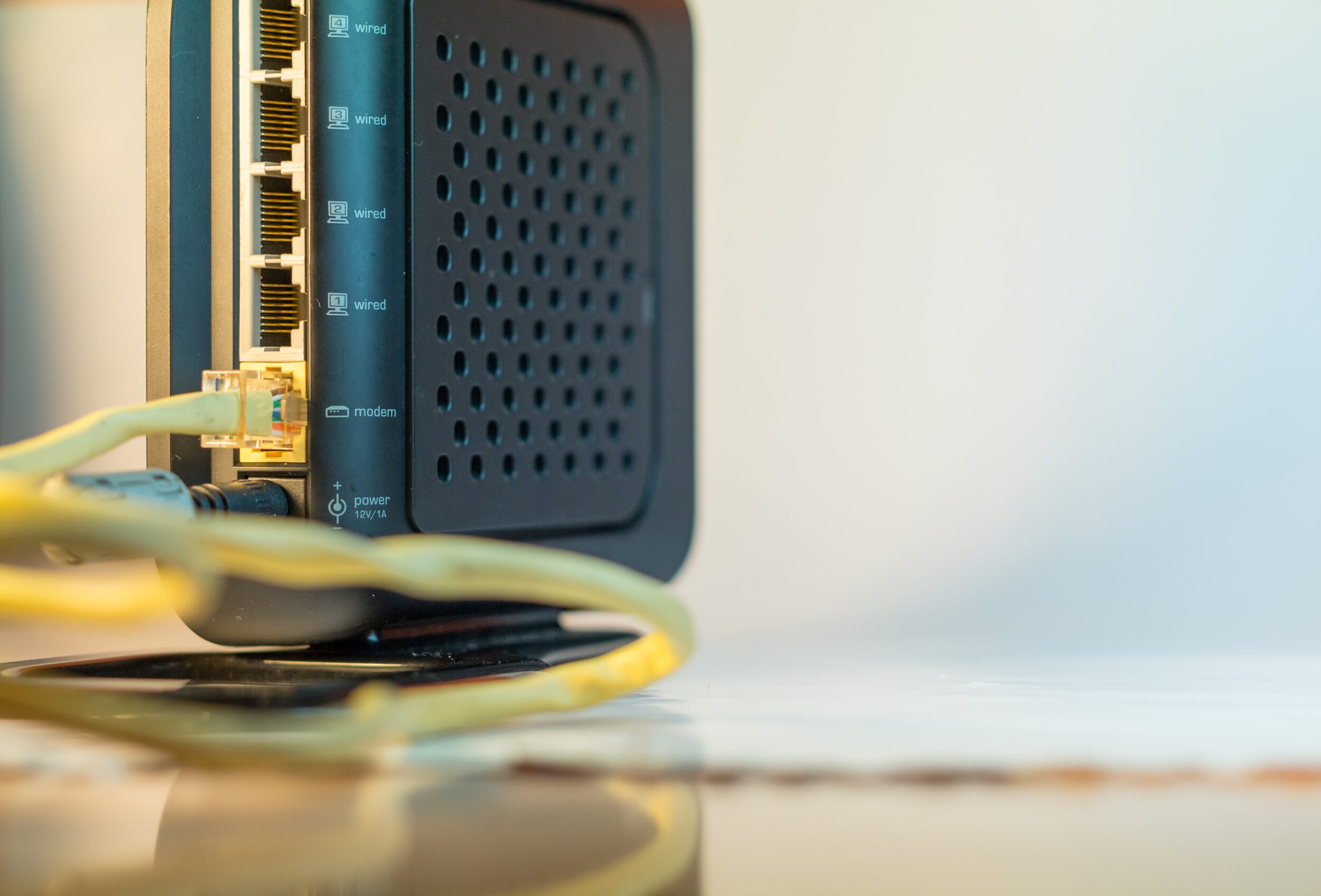
WiFi gets most of the attention, but wired connections remain important. Gaming consoles, PCs, TVs and access points all benefit from structured Ethernet cabling.
When choosing a router be sure to inspect for:
- Number of Ethernet ports
- Support for gigabit or faster speeds
- Ability to integrate with switches if needed
A router should work as part of a wider network, not just a WiFi box.
Security and software support
A good router should receive regular firmware updates, designed to improve security, fix bugs and maintain performance.
Basic security features should include:
- Automatic updates
- Firewall protection
- Guest network support
Advanced features are useful, but reliability and updates matter more than long feature lists.
When a router alone isn’t enough
In many homes, slow or unreliable WiFi isn’t caused by the router itself. Even a high-quality router can struggle if it’s poorly placed, connected to outdated cabling or expected to cover areas it was never designed to reach.
This often leads to issues like dead spots, inconsistent speeds, drop-outs and more.
The issue is most common in larger properties or homes with thick walls or extensions (either attached or annexed). In these situations, adding structured cabling and dedicated access points usually delivers far better results than replacing the router alone. A properly designed network spreads coverage evenly and allows the router to focus on managing traffic rather than trying to reach every corner of the property.
Where mesh systems fit in
Mesh WiFi systems improve coverage also by placing multiple nodes around your home and are easier to set up than traditional access points. They work well in medium-sized homes with open layouts.
However, mesh nodes often communicate wirelessly, which can reduce speeds in larger properties or homes with thick walls. For best results, mesh works best when combined with structured cabling, so each node connects back over Ethernet rather than WiFi.
Conclusion
Choosing the right router is about matching the equipment to how your home actually used the internet. Coverage, device handling and stability all matter more than headline speeds. A good home router should comfortable exceed your broadband speed, as well as manage multiple devices and provide reliable coverage across your property.
If you’re still unsure which router suits your home or you want a network designed properly from the start, get in touch with our team at AAV. We offer WiFi installation services, in addition to custom structured cabling setups, ensuring your systems always performance reliably and scale easily for the future.